Attaching from Drive or OneDrive
If you store your PDF in Google Drive or OneDrive (or send via Gmail or Outlook), it's easy to accidentally attach it as a link instead of the actual file. Links don't work for updates — our system can't follow them to open the PDF. It needs the real attached file.
Gmail + Google Drive
When you click the paperclip in Gmail and pick a PDF from your Drive, Gmail asks how you want to send it. The default is "Drive link" — which doesn't work for our updates.
Pick Insert as Attachment instead.
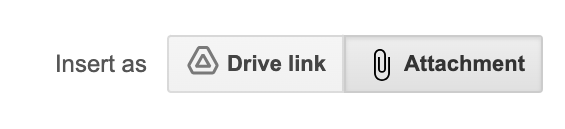
If you've already sent the email with a Drive link by accident, you'll just need to send a new update with the attachment option picked. The wrong send didn't break anything; it just didn't update the PDF.
Outlook + OneDrive
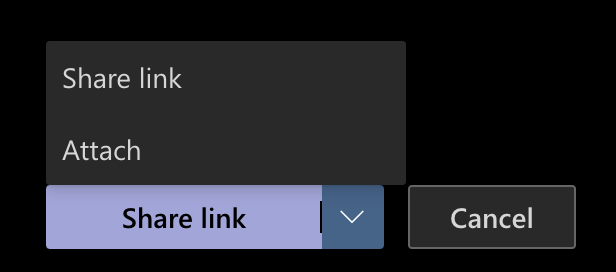
Same trap, different cloud. Outlook attaches OneDrive files as a shared link by default.
Pick Attach as Copy (the option that uploads the actual file) instead of Share link.
Why does this happen?
Google and Microsoft built this behavior to make sharing easy between people inside their ecosystem — if you and your coworker both use Google Drive, a Drive link is more efficient than emailing the file. But our update system isn't a person clicking a link; it's a server reading attachments. It needs the file actually attached.
What if I have to use Drive / OneDrive?
You don't have to change your storage habits — just remember the "attach the file, not the link" step when sending the update email. If you find yourself forgetting, a few options:
- Download the PDF first, then attach the local copy
- Drag the PDF directly from Drive / OneDrive into the email window (this attaches the file)
- Save a workflow trigger in your email client that does the right thing by default
Other common mail-client gotchas
Most other mail apps don't have this trap — they just attach the file. Apple Mail, Thunderbird, Yahoo Mail, ProtonMail all attach PDFs normally. The trap is specifically Gmail + Drive and Outlook + OneDrive.